
Resume an AI coding project without starting over
A new coding session can repeat completed work or follow an outdated plan. Use Knotpad for recorded project context and RepoYard to check the current repository and services.
An AI-assisted project can lose continuity when a session ends or a different assistant takes over. Decisions remain in an earlier conversation, the next task is unclear, and the repository may have changed since the last update.
The next session can then repeat completed work or proceed from an outdated assumption. A reliable restart needs both recorded context and a check of the current files.
Knotpad holds the project brief, tasks and delivery notes. RepoYard provides the workspace for checking repositories and running the development services. Together, they support a deliberate handover between sessions.
Recover the recorded context in Knotpad
Open the brief, latest delivery entry and handover. These should identify the current objective, completed work, unresolved questions and checks still required.
A compatible assistant connected through Knotpad’s supported Model Context Protocol (MCP) setup can read the saved notes within its permissions. Ask it to summarise the current state and identify one next task before editing files.
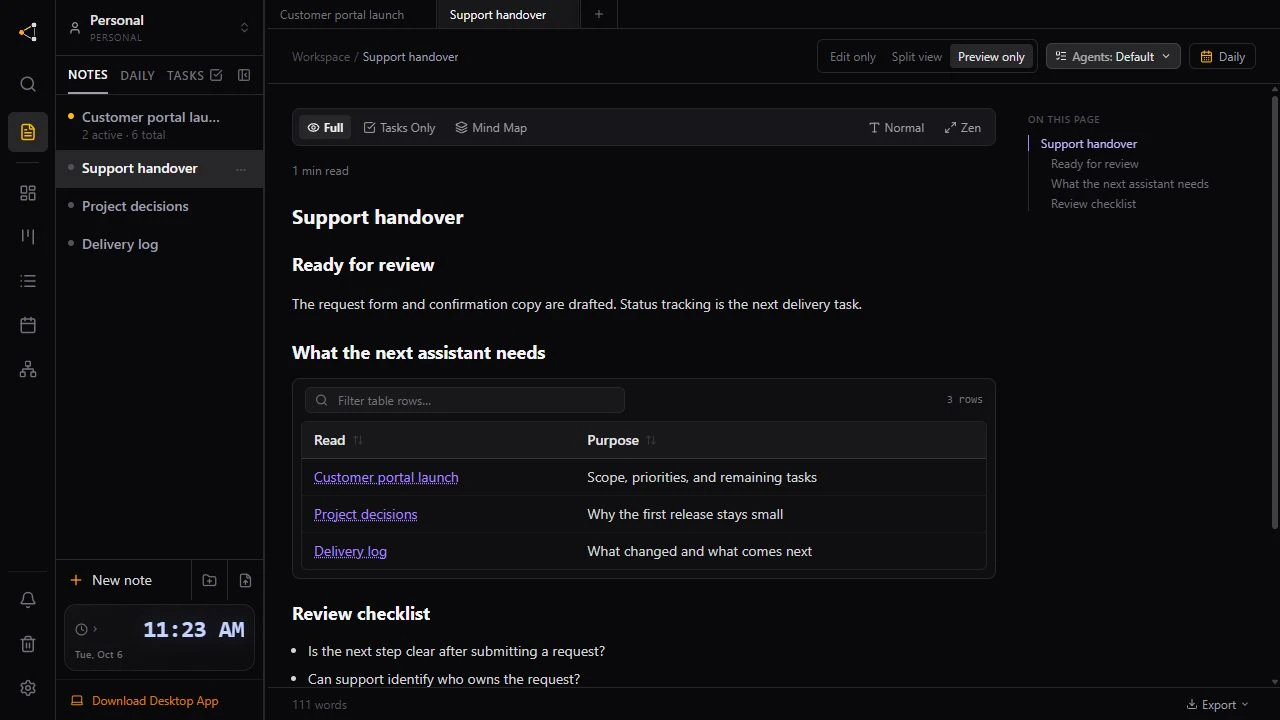
Knotpad provides access to saved project information. It cannot recover an unrecorded conversation. Connection options and remote access depend on the client, workspace and plan, as explained in the assistant handover guide.
Confirm the current state in RepoYard
Open the relevant repository and review its branch, Git status and uncommitted changes. Compare that state with the handover before starting the next task.
Start the required services and run a relevant check. This establishes whether the project behaves as the notes describe and separates an existing failure from a problem introduced by new work.
For example, a request portal may already accept valid submissions but still clear the form after an error. A clear handover and a current check let the next session focus on that remaining behaviour.
Retain a useful record for the next session
After completing a task, update its status and record the changes, checks and remaining work in Knotpad. Include the relevant repository or commit reference where useful.
The next session starts with an accessible decision history and a current implementation check. The person directing the work has less project context to reconstruct from scattered conversations.
The workflow requires an explicit update at the end of each session. Connecting the apps or an assistant does not create a complete handover automatically. Our closing-session post provides the record to leave behind.
Explore Knotpad for project context and RepoYard for the development workspace.