
What to save before closing an AI coding session
Code changes alone do not explain what happened in a session. Keep a concise handover in Knotpad and leave the repository and development services in a known state with RepoYard.
A coding session can end with working changes but an incomplete record. The next person sees the files without knowing which decisions were made, which checks passed or what remains unfinished.
That gap can lead to repeated investigation and incorrect assumptions about release readiness. A closing routine should preserve the code and explain its current state.
Knotpad can hold the handover, while RepoYard helps the team inspect the repository and development services before the session ends.
Review the changes and checks
Read the repository diff and identify which changes belong to the task. Run the relevant checks and record their actual results. Keep unrelated work intact.
Use Git commits to record a coherent set of code changes. If work remains uncommitted, include that fact in the handover so the next session can account for it.
For eligible coding command-line sessions launched through RepoYard, working-tree checkpoints provide a local recovery option. They exclude ignored files and do not replace commits, backups or recovery plans for external systems. The checkpoint guide explains their scope.
Record the outcome in Knotpad
A useful handover covers five points:
- Objective: the result the task was intended to achieve.
- Changes: what was modified and the relevant repository or commit.
- Verification: checks completed, their results and anything unverified.
- Open work: remaining issues or decisions.
- Next task: one action with a clear completion condition.
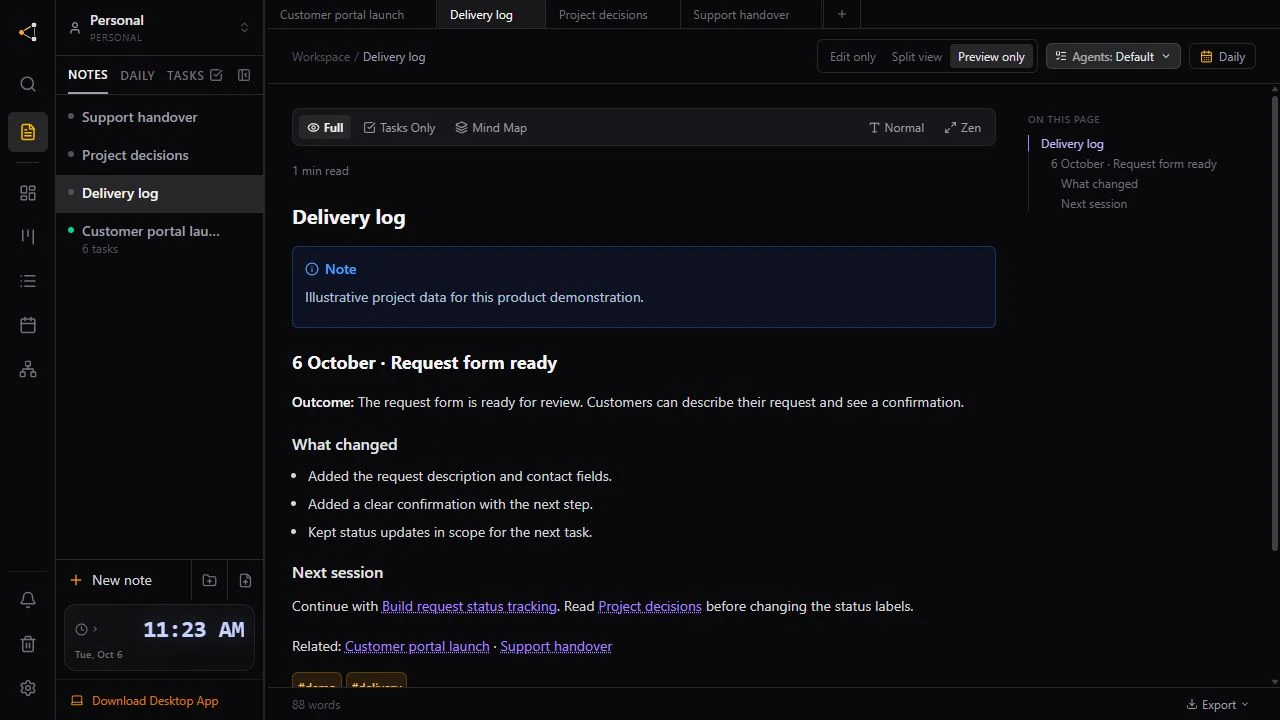
With a compatible assistant connected to Knotpad, request an explicit update to the delivery note and task status. Read the saved result before closing. Use access permissions appropriate to the update and keep credentials out of project notes.
For example, a portal handover could record that valid submissions were checked on a phone, while recovery after a failed request remains unfinished. The next session receives a specific task rather than a general instruction to continue development.
Leave the environment in a known state
Stop development services that are no longer needed, or record which ones remain running. RepoYard can stop a configured stack together. Identify unfamiliar processes before stopping them.
Record database changes, deployments and other external actions separately. Restoring local files does not reverse those actions.
The handover connects the changes to the evidence and next task. Knotpad keeps that context accessible, and RepoYard keeps the development workspace visible for the next session.
Use the project resumption workflow when work continues.