
When an AI coding session is waiting and nobody notices
Running Claude Code on one project and Codex on another means checking each window to see which one needs you. RepoYard shows every session's status in one place and tells you when one is waiting for your reply.
Coding assistants work best on their own for a while. You give Claude Code a task in one project, start Codex on another, and switch to something else. The trouble starts when one of them finishes or stops to ask for permission. Nothing tells you, so it sits waiting while you assume it is still busy.
RepoYard runs each coding session in its own tab, shows what each one is doing, and brings the ones waiting for you to the front.
One tab per session, with its status
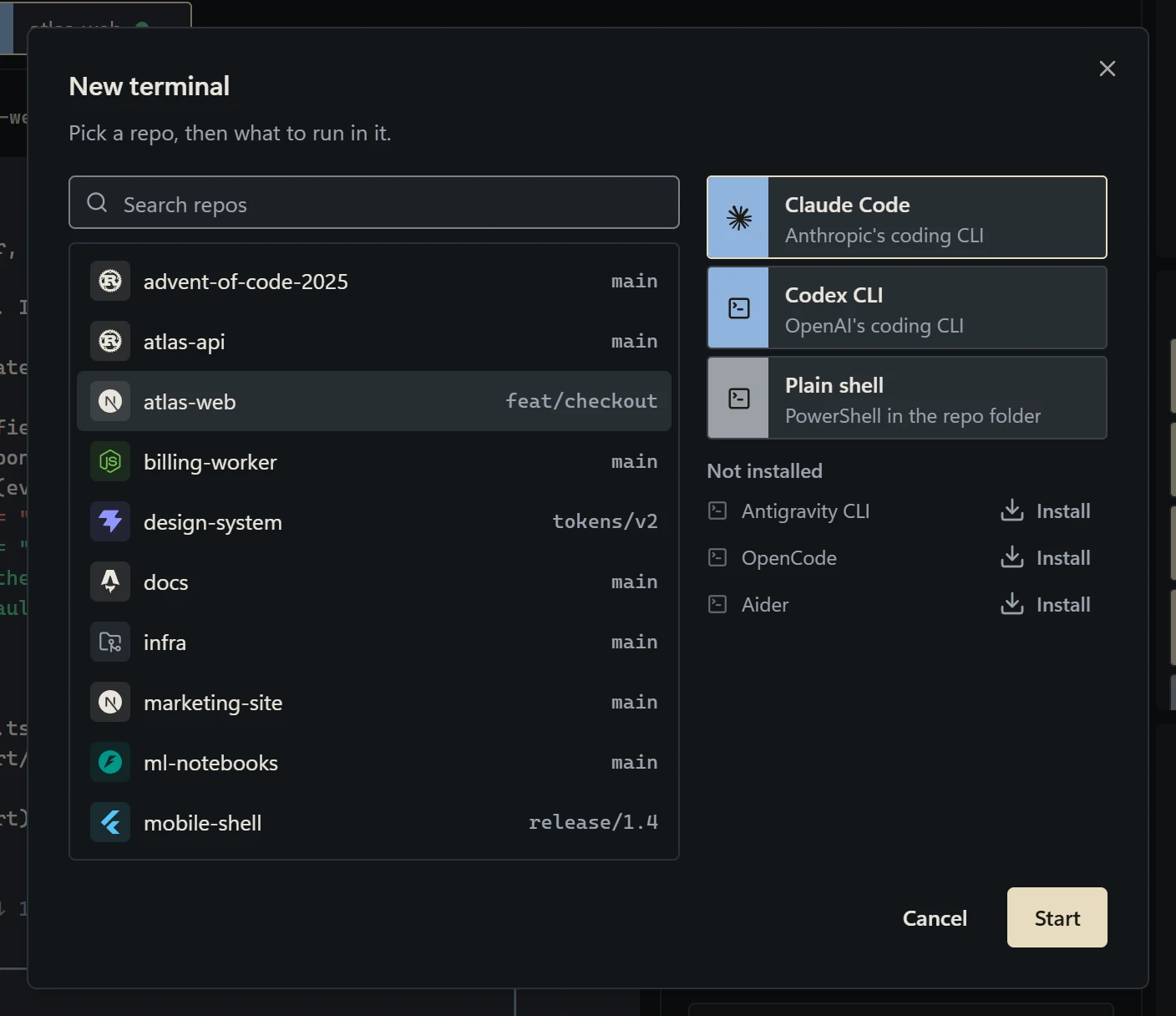
Open Terminals (Ctrl+2) and choose New terminal…. Pick a project, then what to run in it: Claude Code, Codex CLI, Antigravity CLI, OpenCode, Aider or a plain shell. Coding tools that are not installed yet are listed separately, each with an Install option.
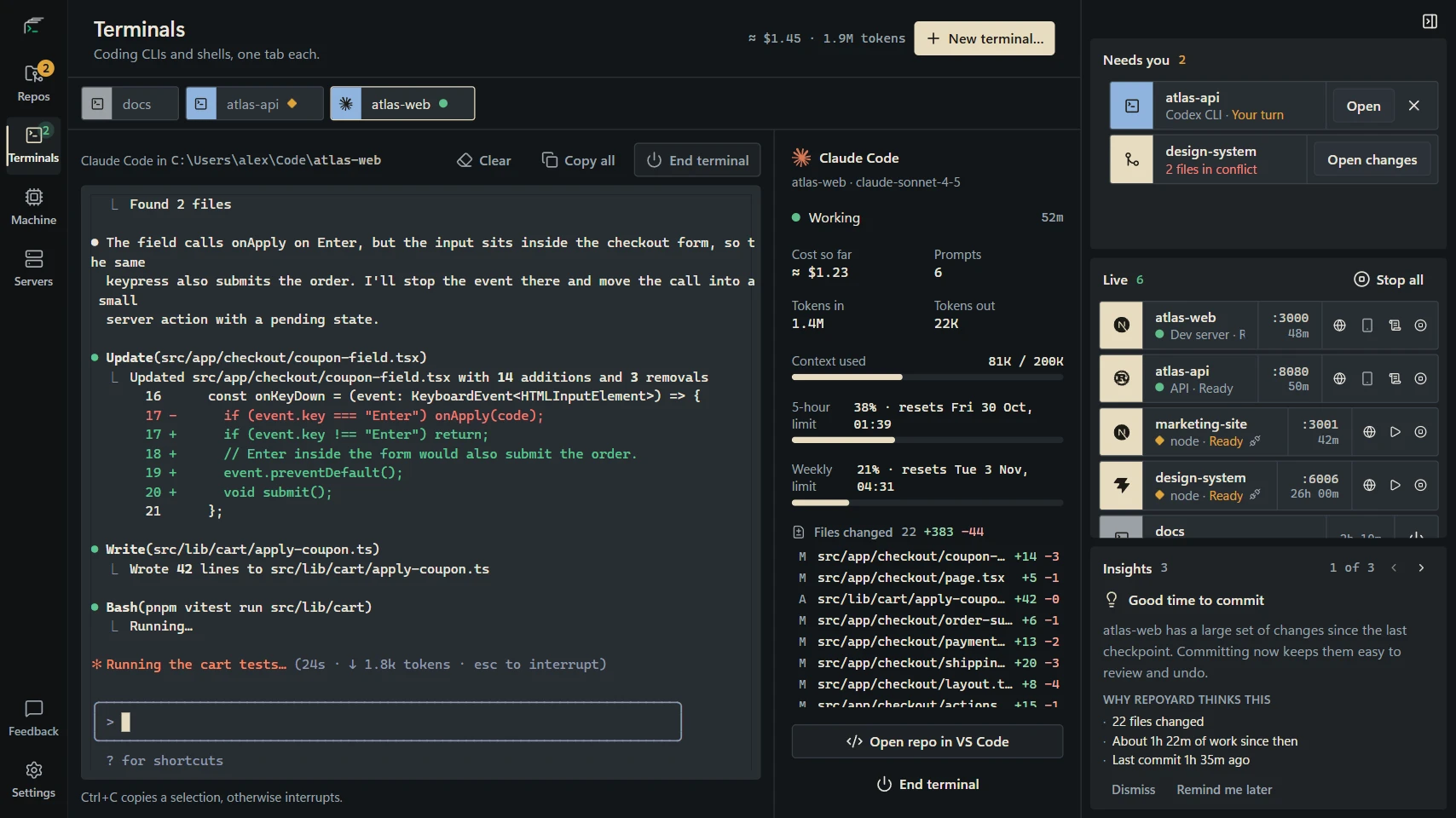
Each tab carries a small status mark: a green dot while the assistant is busy, and an amber mark when it is waiting for you. The open session and the Needs you panel spell the status out:
- Working while the assistant is busy.
- Your turn when it has finished and is waiting for your next message.
- Needs your approval when it has stopped to ask before running something.
See what is waiting from any page
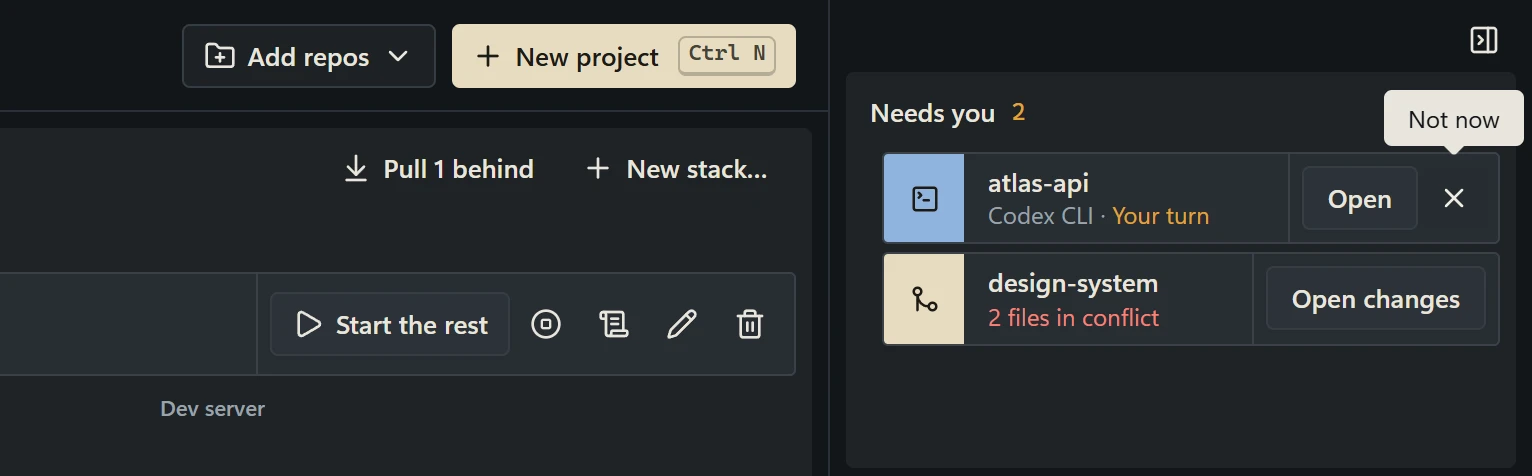
The Needs you panel sits beside every page in RepoYard. It lists each session on Your turn or Needs your approval, with the project and the coding tool, alongside other things that need you, such as a merge conflict. Open takes you straight to that session, and the Not now button clears it from the list.
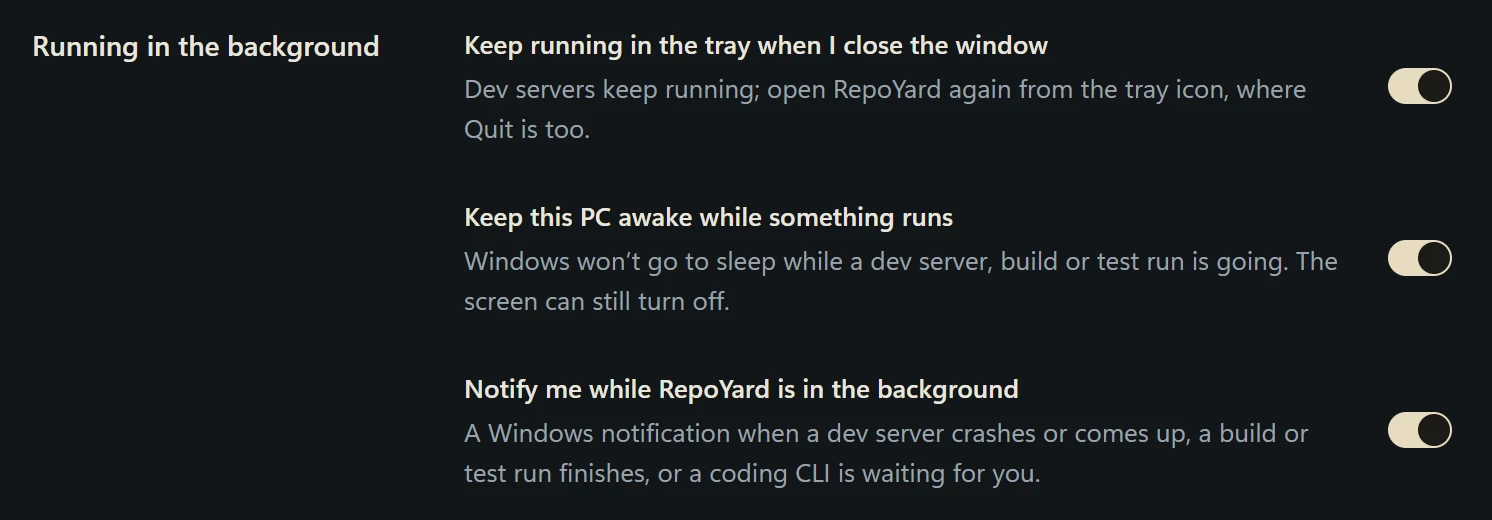
When you are working in another window, or RepoYard is minimised or in the system tray, Windows shows a notification such as “Codex CLI is waiting for you”, with the project name. The same setting also tells you when a dev server stops or comes up, or a build or test run finishes. You can turn it off under Settings, Running in the background.
Example: two projects, one afternoon
A developer starts Claude Code on the frontend, atlas-web, to build a settings page, and Codex on the API, atlas-api, to add an endpoint. Both start working. Twenty minutes later Codex finishes and asks whether to add a database migration. Its tab mark turns amber, the Needs you panel lists atlas-api on Your turn, and a notification appears while the developer is in another window.
One click on Open brings up the Codex session. The developer answers, Codex continues, and Claude Code is still working on the frontend in the next tab.
Good to know
- Detailed status is available for Claude Code and Codex, which write session logs RepoYard can read. Other coding tools show as running while they are open.
- RepoYard tracks sessions started in its own terminal. Sessions started elsewhere, such as in your code editor, are not included.
- RepoYard works out each status from the session’s activity, so it reflects the tool’s own behaviour. It does not approve anything for you or judge the work.
- Sessions end when you quit RepoYard. With Keep running in the tray when I close the window switched on, closing the window keeps them running.
- RepoYard runs on Windows 10 (version 2004 or later) and Windows 11, from the Microsoft Store.
When a session finishes, RepoYard’s guides on undoing changes from a coding-agent session and our post on recovering when an AI coding change breaks a feature cover the next step.