
From project brief to phone-tested prototype
A desktop preview can miss problems that customers encounter on a phone. Use Knotpad and RepoYard to organise a focused prototype and review the complete journey on a real device.
A prototype may work on a developer’s computer while failing at the point a customer needs to use it. A phone keyboard can cover an action, validation can erase entered details, or a form can display confirmation without saving the request.
Finding these problems requires a defined user journey and a check on the intended device. Knotpad and RepoYard can support that workflow, from the brief through to recorded test findings.
Define the customer’s task in Knotpad
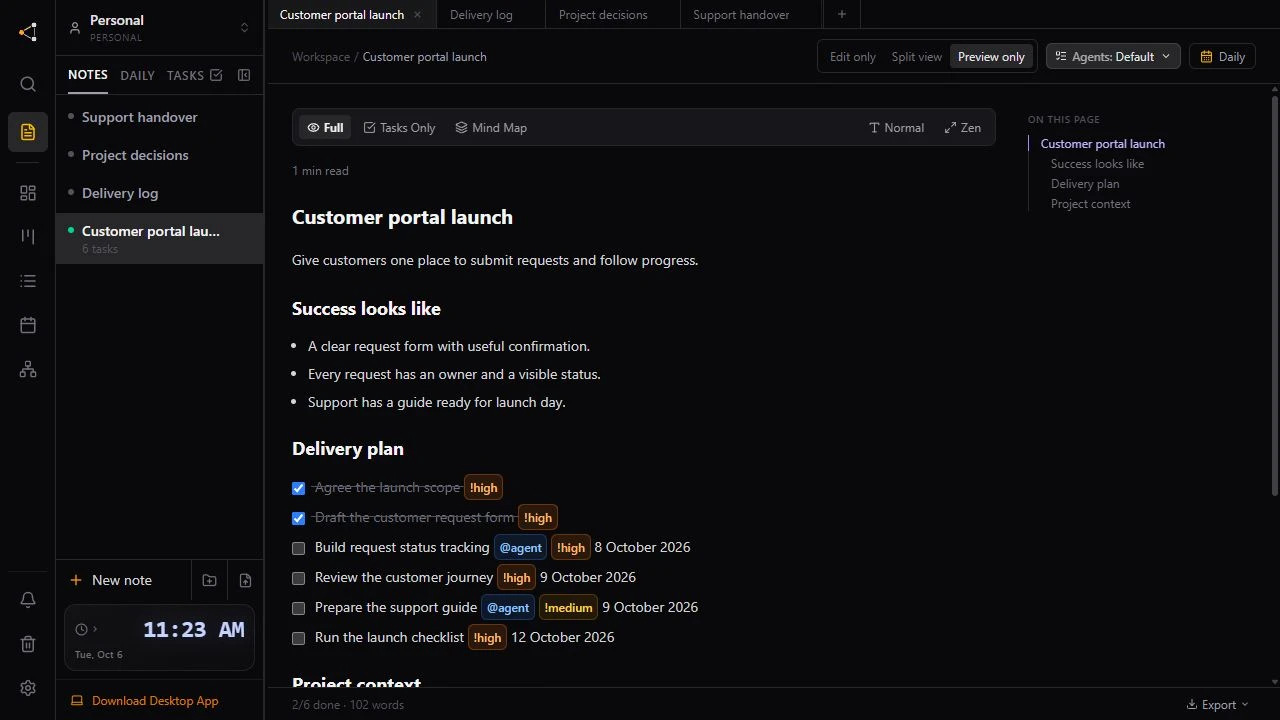
Consider an illustrative service-request portal. The customer needs to enter contact details, describe a request and receive confirmation.
In Knotpad, record that outcome with its acceptance conditions. Invalid input should explain what needs correcting. A successful submission should have a reference that can be checked against the saved request.
Checkbox tasks in the note can be tracked on the board. Keeping the task beside its explanation gives the person or connected assistant doing the work access to the reason and the expected result.
Run the prototype in RepoYard
RepoYard provides a Windows workspace for repositories, development services and coding command-line tools. Where a prototype needs an API and a separate frontend, a configured stack can start the services in the required order and check readiness.
The application still needs valid configuration and working startup commands. Keeping those details with the project gives the team a consistent way to open the same development environment.
RepoYard’s stack guide covers the setup steps.
Check the complete journey on a phone
With the phone and development PC on the same Wi-Fi network, RepoYard’s phone-preview control provides a local address and QR code. Open that address on the phone while the development server is running.
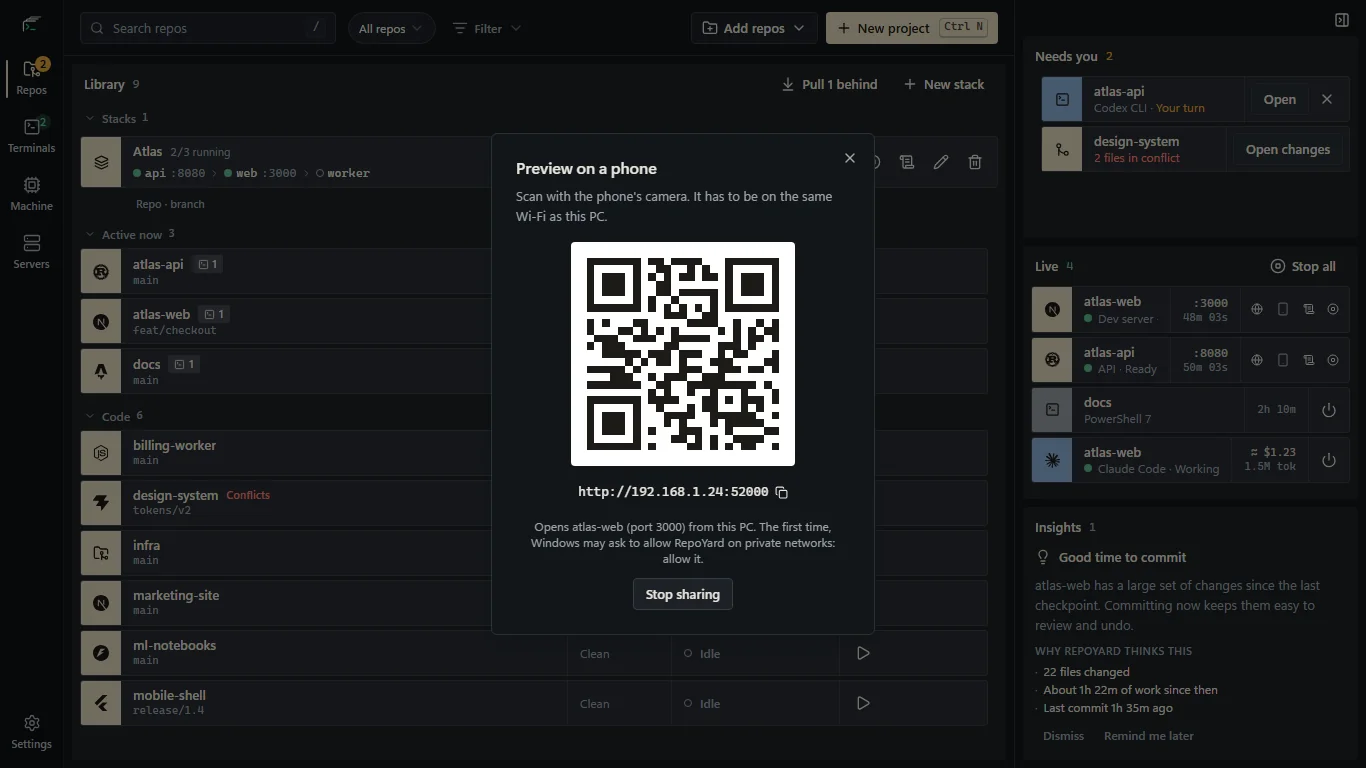
For the request portal, review the form with the keyboard open, submit invalid details and complete a valid test request. Compare the confirmation with the stored result. Check a controlled failure to confirm that the form explains the problem and preserves entered information.
This is a local development preview. Remote review and public access require a separate deployment. Network settings and application configuration can also affect access; the phone-preview guide explains those requirements.
Keep the findings with the project
Record the device, checks completed and unresolved issues in Knotpad. Update the tasks to reflect those findings. For example, a form may pass validation checks while still needing work on recovery after a failed submission.
The team can compare the intended customer task with the implementation and recorded test findings. Incomplete behaviour is visible before the prototype is treated as ready for release.
Knotpad and RepoYard are used alongside one another in this workflow. Project notes and test findings must be recorded explicitly; the apps do not automatically synchronise this information. A prototype also needs the relevant security, deployment and production checks before launch.
Start with Knotpad for the brief and task record, and RepoYard for the development workspace and device preview. The session handover post explains how to retain the result for the next stage of work.