
When every recruiter reads a resume differently
Sixty applications, one role and a client asking why these three candidates. Our recruitment application lets a recruiter write the criteria first, see the evidence behind every score and share an anonymised shortlist the client can follow.
A recruitment agency receives sixty applications for one admin and finance role. Two recruiters share the work. One values full-set accounting experience above everything; the other cares most about notice period. Both make sensible choices, but the shortlist depends on who opened which file.
Then the client asks a reasonable question: why these three candidates? The answer usually sits in each recruiter’s head, spread across sixty resumes.
Our recruitment application, currently in development for small Malaysian agencies, puts the criteria on paper before anyone reads the first resume. Every score then comes with the evidence behind it, and the recruiter makes every decision. The screens below use fictional demo candidates.
Write the criteria down first
Each role starts in Role setup. The recruiter sets how much five broad areas count: technical skills, relevant experience, education, industry and local context, and communication. The app shows each area’s share of the overall score as the weights change.
Below that, the recruiter adds criteria specific to the role, each with its own weight and a short rubric that explains how to judge it. A must-have, such as a car for hospital rounds, can be marked as a knockout. Thresholds decide which new applications start as a strong match and which fall below a weak match.
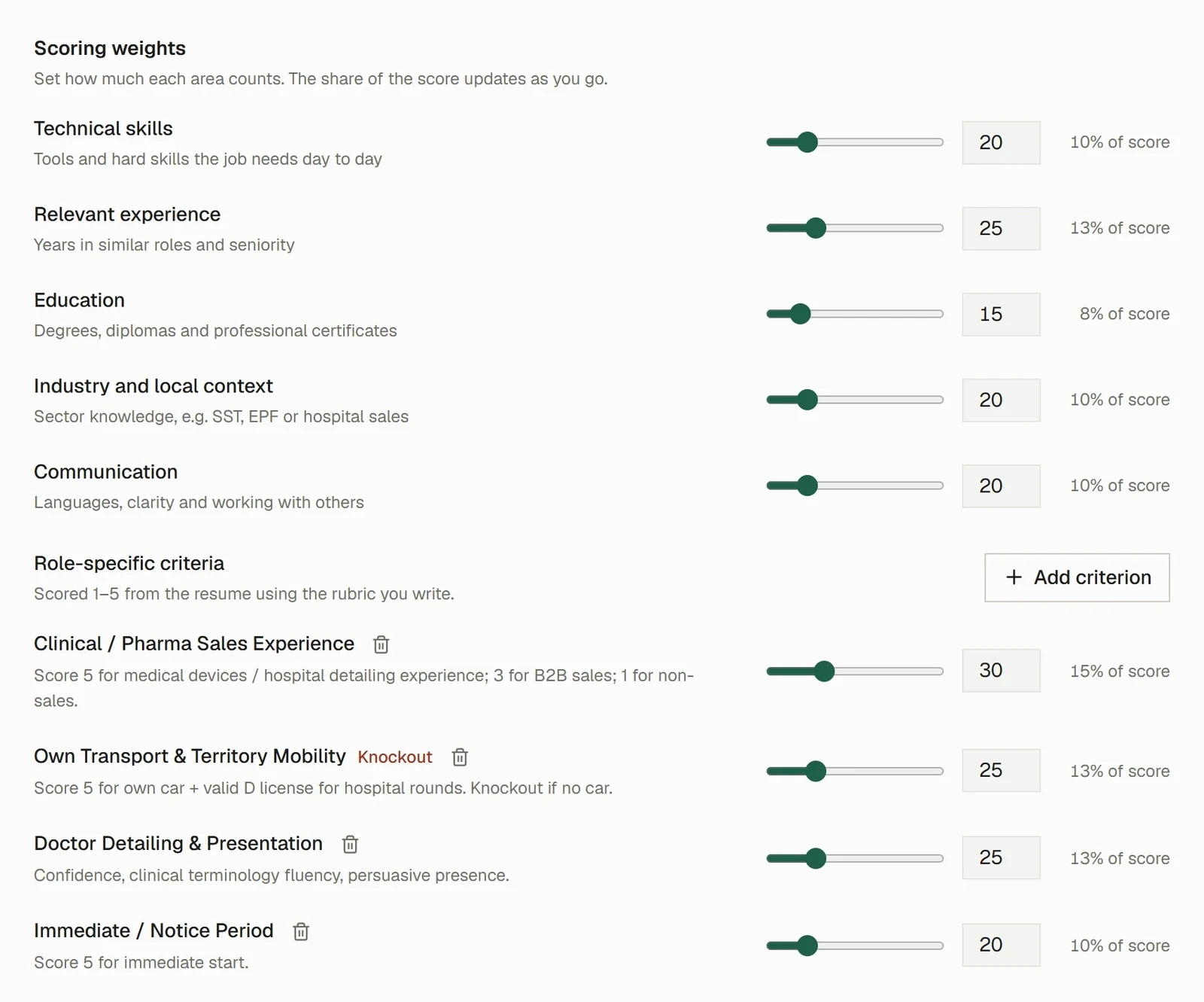
Writing the criteria down gives every recruiter on the team the same reference, and gives the client a clear answer to what the agency looked for.
Every score shows its evidence
The app reads each resume on the recruiter’s own computer and scores it against the role. By default this is a keyword scan that runs entirely on the device, with no AI involved. It weighs the facts it finds against the role’s settings and says plainly that written rubrics and knockout rules are for the recruiter, or optional AI screening, to judge.
The Why this score tab shows the breakdown by criterion and the resume line behind each one. Every quote is labelled Found in resume after the app checks it against the resume text. Selecting a quote opens the resume at that line, so the recruiter can read it in context.
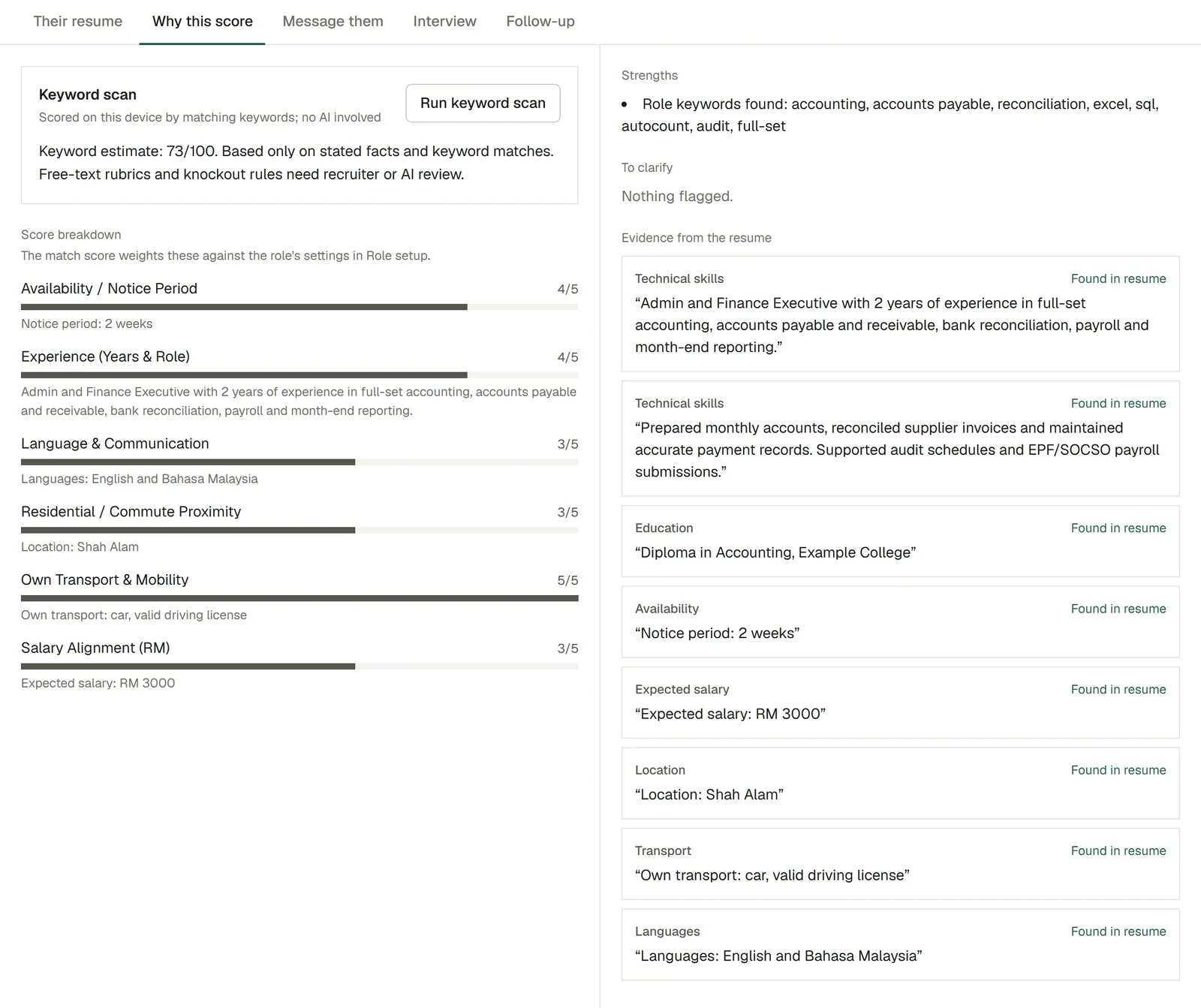
The score is an estimate that tells the recruiter where to start reading. The quotes are what make it useful: a recruiter can agree or disagree with a score in seconds, because the evidence is right there.
A missing fact becomes a question
Resumes often leave out the details that decide a placement, such as notice period or expected salary. When a criterion’s fact is not in the resume, the app marks it Not stated in the resume; confirm with the candidate. instead of guessing.
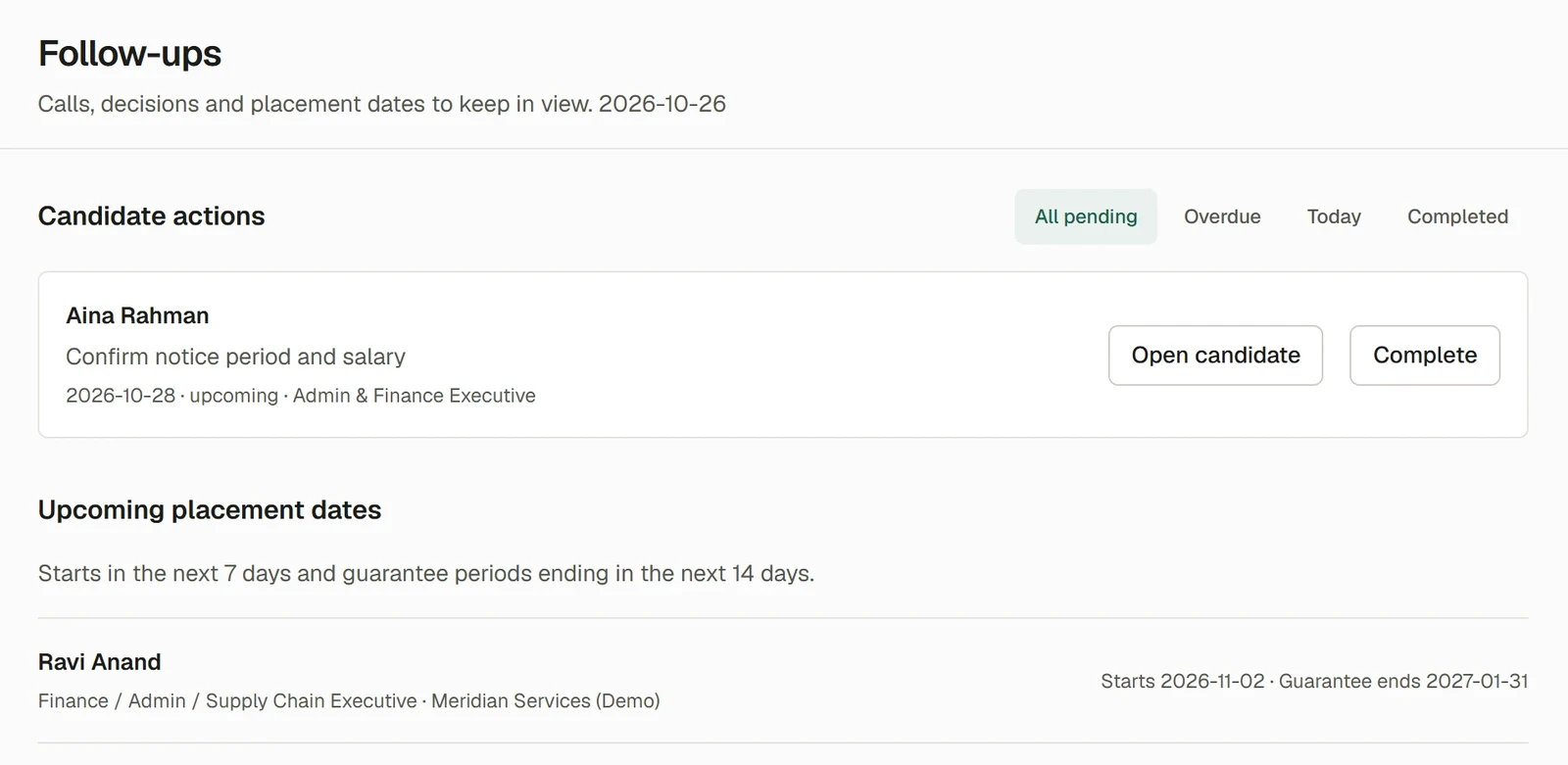
The recruiter can turn that into a follow-up with a next action and a due date. The Follow-ups board then lists every pending action, along with upcoming start dates and guarantee periods that are about to end.
The recruiter makes every decision
Candidates move through stages that match an agency’s day: To review, Shortlisted, Keep in view, Interview, No reply, Not suitable and Hired. Strong matches start in Shortlisted. A candidate who fails a knockout is marked Ruled out, with the rule named, and the recruiter decides what happens next. Every move, including a bulk move, can be undone.
For a fairer first read, Hide names while judging replaces names with an anonymous reference and hides file names and contact details. AI screening is optional and uses the agency’s own AI account. Before any resume text is sent, names, IC numbers, email addresses and phone numbers are replaced, and every quote the AI returns is checked against the resume, as described in our post on reviewing AI output.
Share a shortlist the client can follow
When the shortlist is ready, Reports prepares it for the client as a PDF or an Excel file. Candidate identity is hidden by default, and the recruiter chooses whether to include expected salary, location and the estimated score. A score is always labelled as an estimate for review, and internal notes, raw resumes and source files are never included.
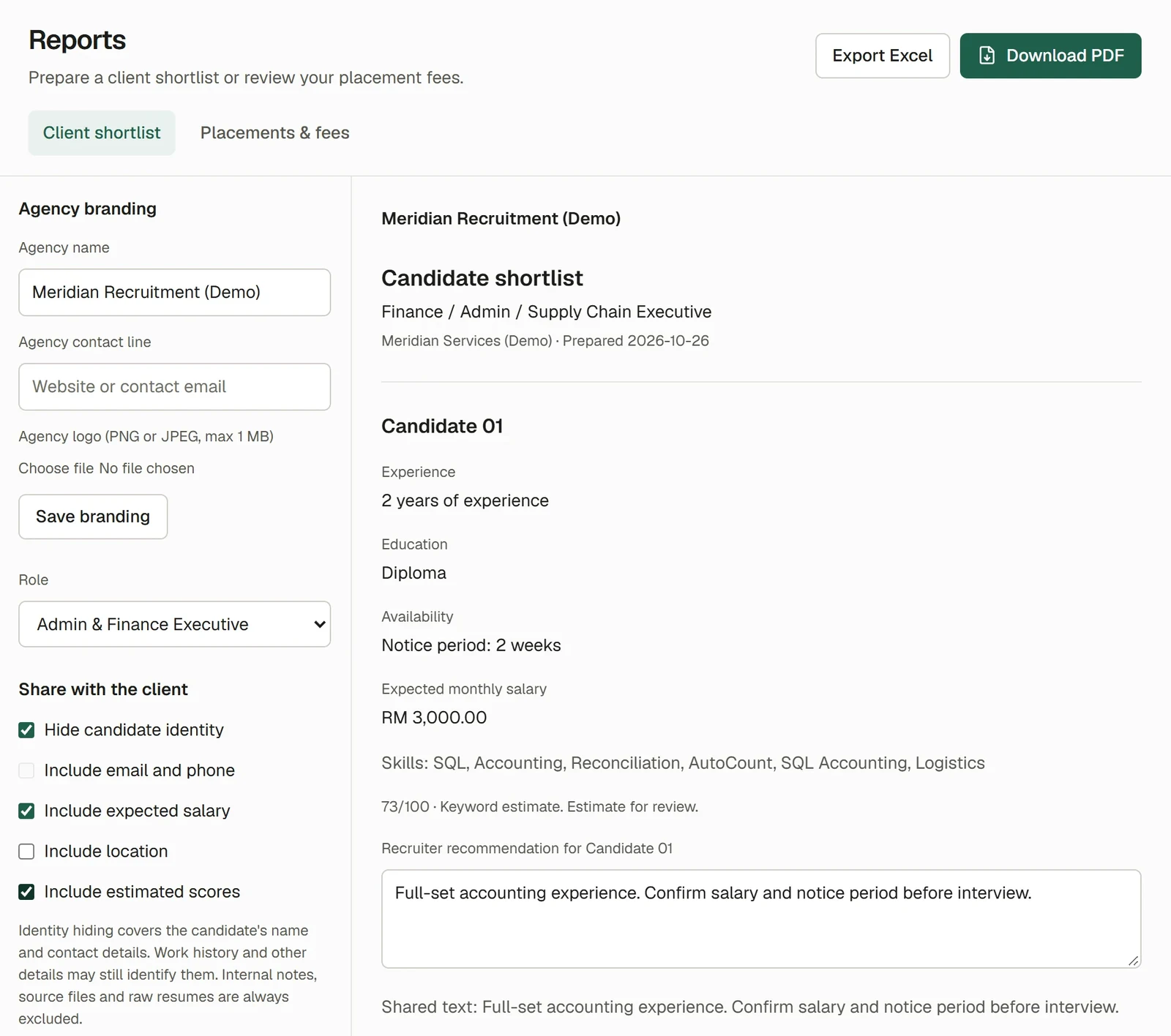
The client receives the same structure for every candidate, with the recruiter’s recommendation in plain words. The question “why these three?” now has an answer on the page.
Apply the approach to other reviews
The same approach suits any business that compares many applications or proposals against a set of requirements:
- Supplier and tender evaluation: proposals scored against written requirements, with the quoted line from each proposal. Pricing tables and attachments would need their own checks.
- Scholarship and grant applications: criteria agreed before review, with evidence from each application and a panel decision recorded for each one.
- Property agents screening tenants: move-in date, budget and household details checked against the landlord’s requirements, with consent for the personal data collected.
- Internal promotion reviews: criteria for each level, with evidence drawn from appraisals and project records, and the decision kept with the reviewers.
Each adaptation starts from the criteria the business already uses, written down so every reviewer applies them the same way.